


AMAZON
Kindle Scribe
In-book Writing & Annotation
thE FIRST KINDLE FOR READING & WRITING
The next generation of Kindle that unites reading with writing. The premium Paperwhite display feels like reading and writing on paper, with crisp text and ample space for larger fonts, images, charts, and documents. Designed for reading and notetaking in millions of books, adding notes to documents, journaling, and more.
My role was a design lead for this project. I worked closely with the product manager, user researcher, engineers, and other designers. My responsibilities included: being charged with concepting and designing the in-book writing experience, original writing tools to help writing tasks, and achieving the business objective of adopting more customers to the Kindle Scribe. And later port over the in-book writing experience to other devices such as iOS, Android, and FireOS. You can see the final results on the Kindle Scribe Learn More page.
Design Goals
- Deliver a cross-device experience that is functionally consistent, but authentic to the devices it lives on.
- Design around customer expectations, not organizational structures. I strived to optimize our CX by mapping our information architecture to customer behaviors and priorities, while considering the full reader life cycle.
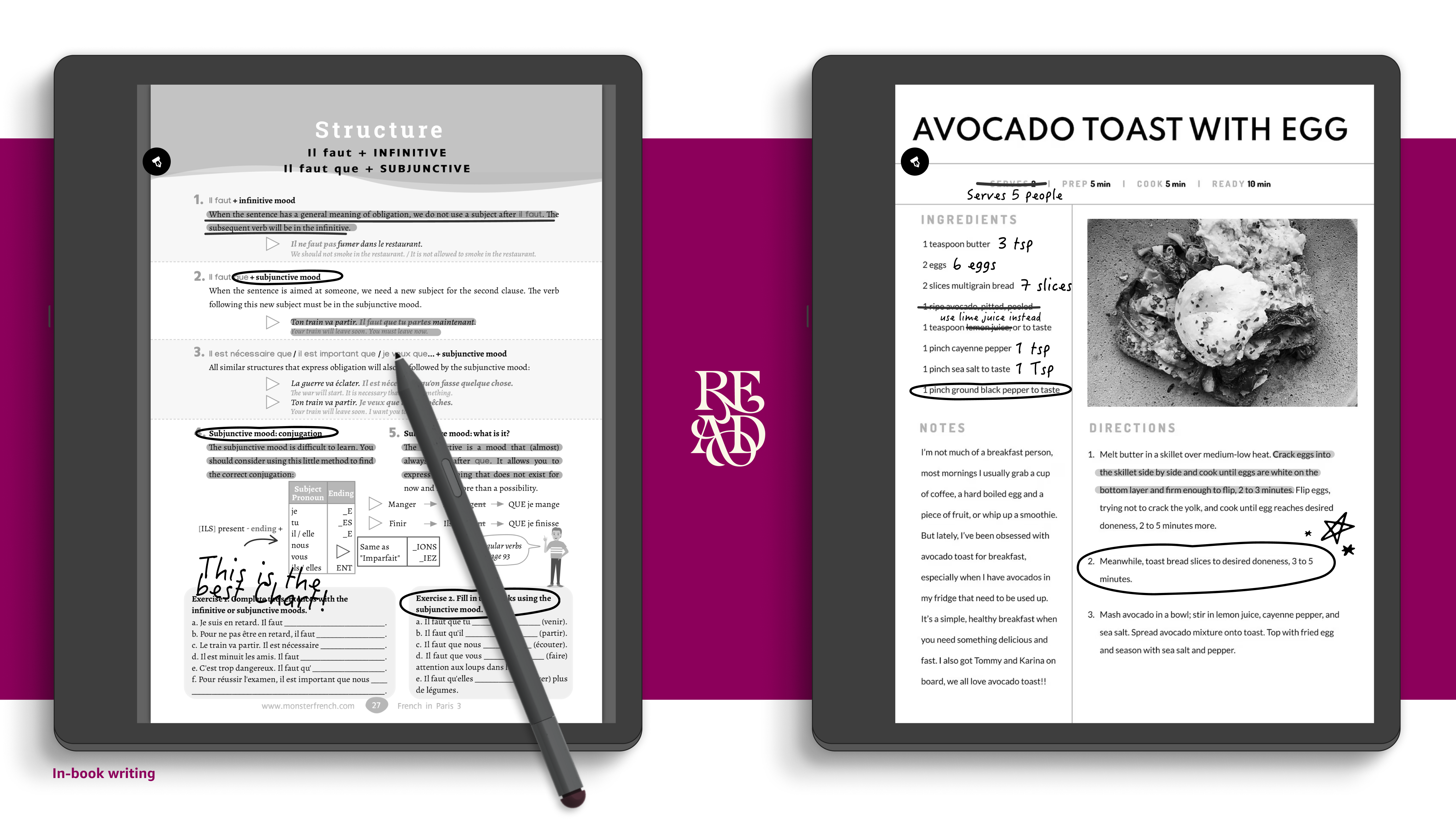
- Design new tools and features that help customers annotate content within the book.
- Optimize the Kindle CX for habitual engagement both in terms of repeat visits and time spent reading or writing.
Experience Strategy
Problem Statement
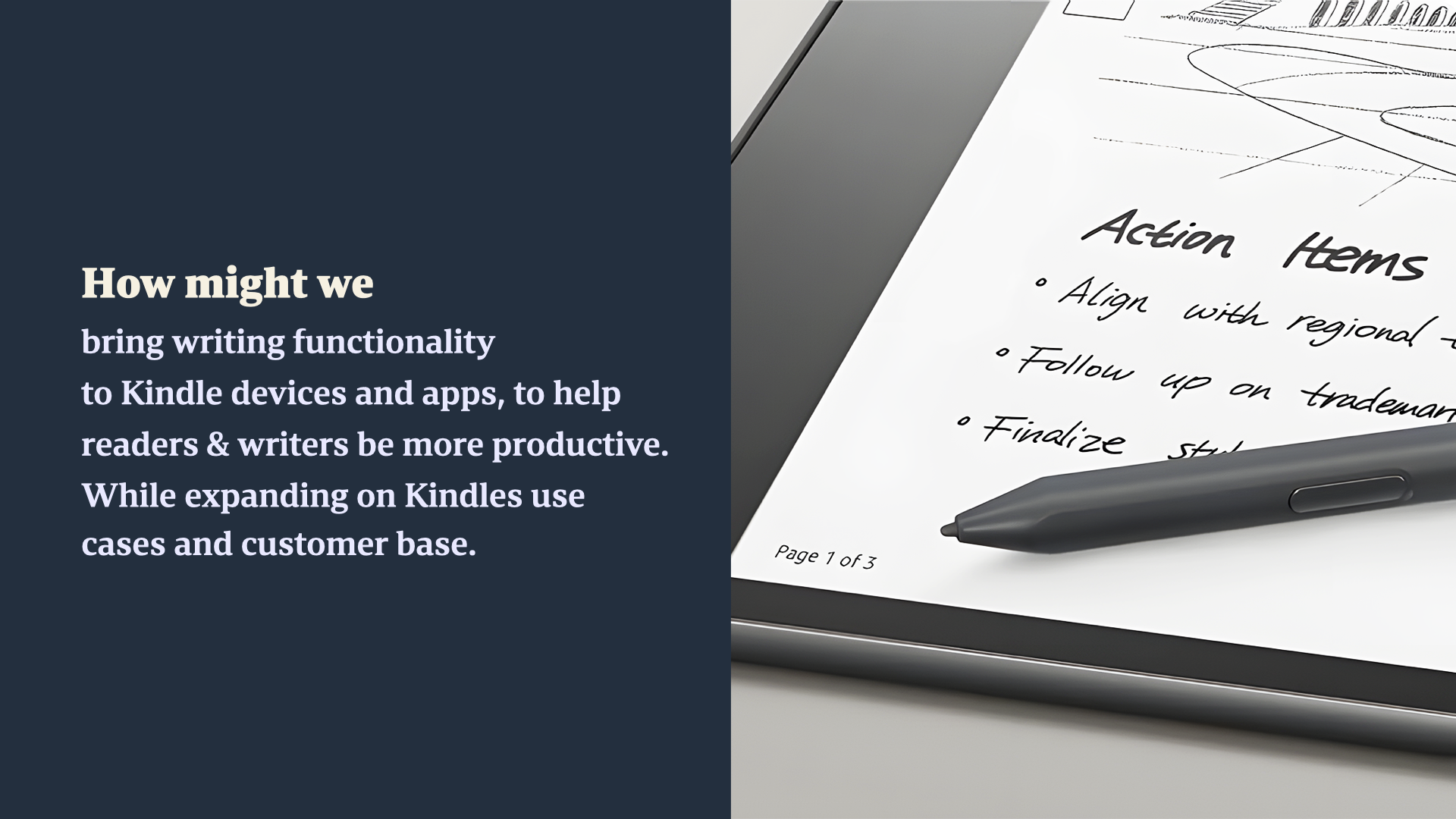
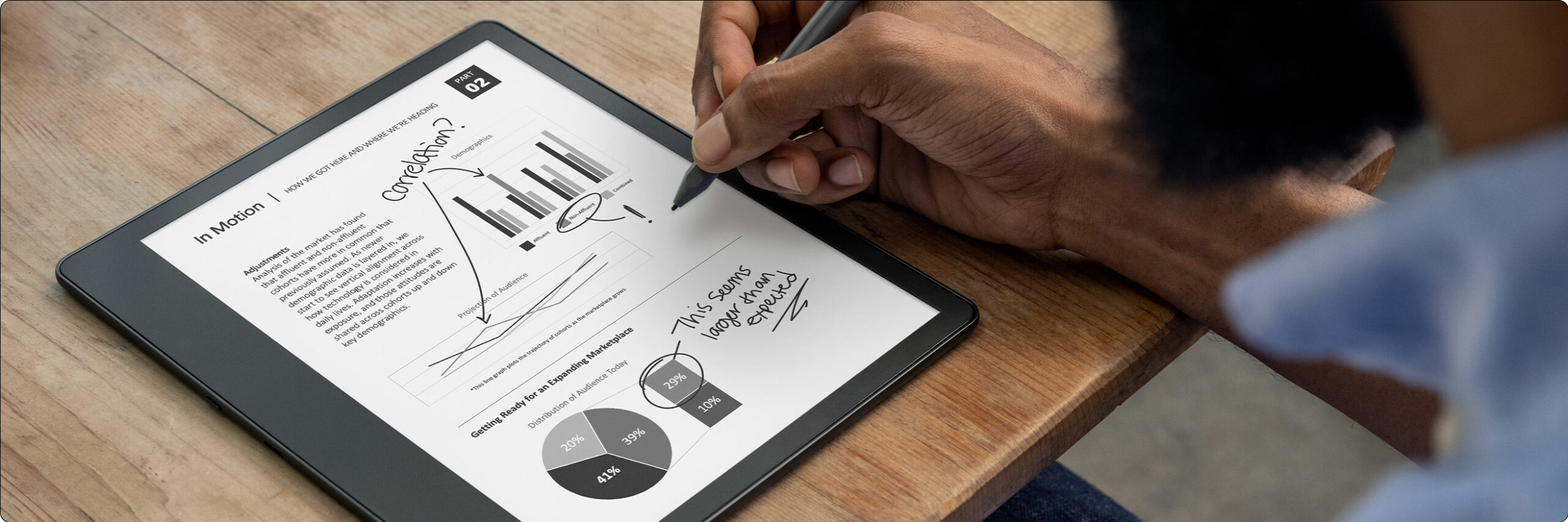
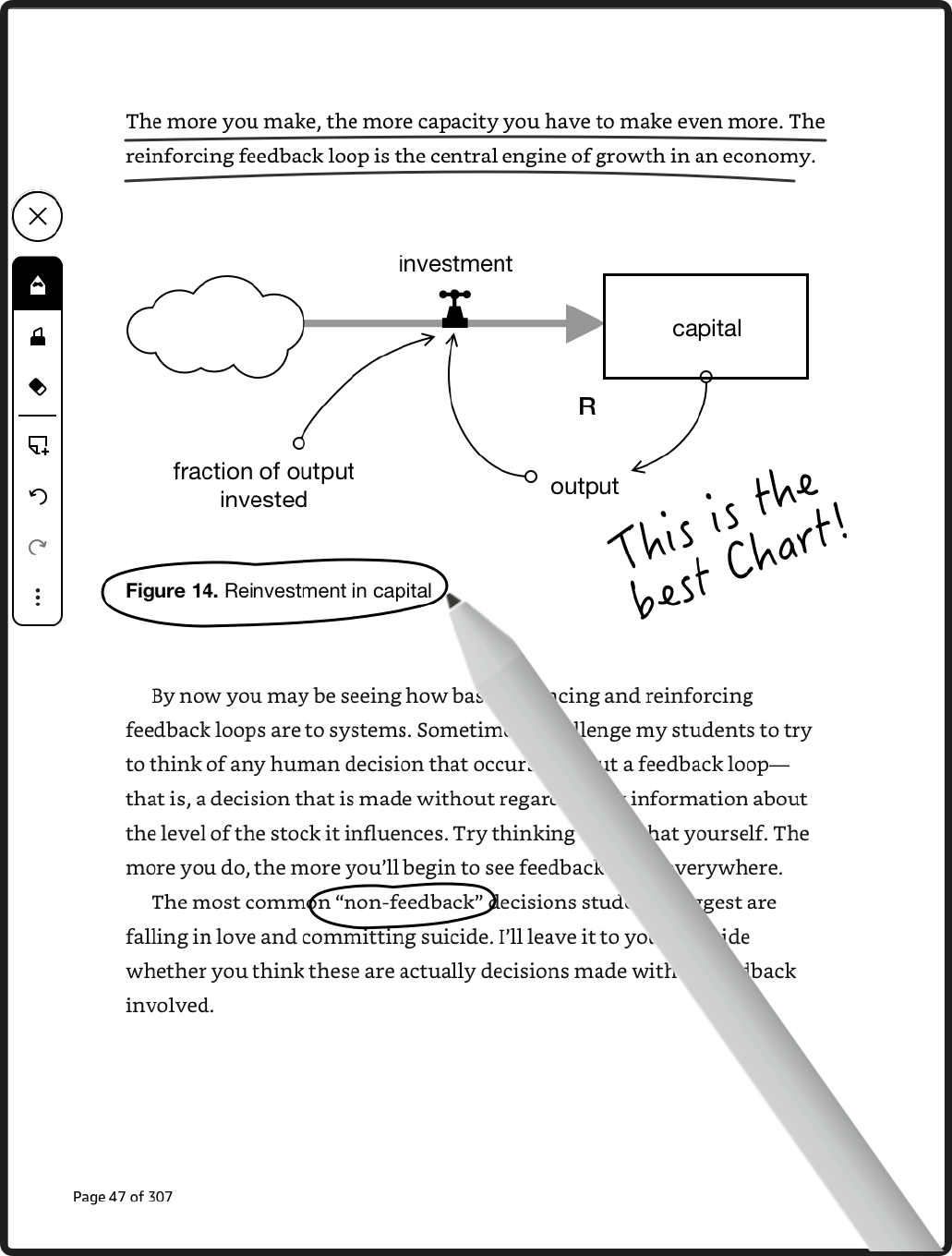
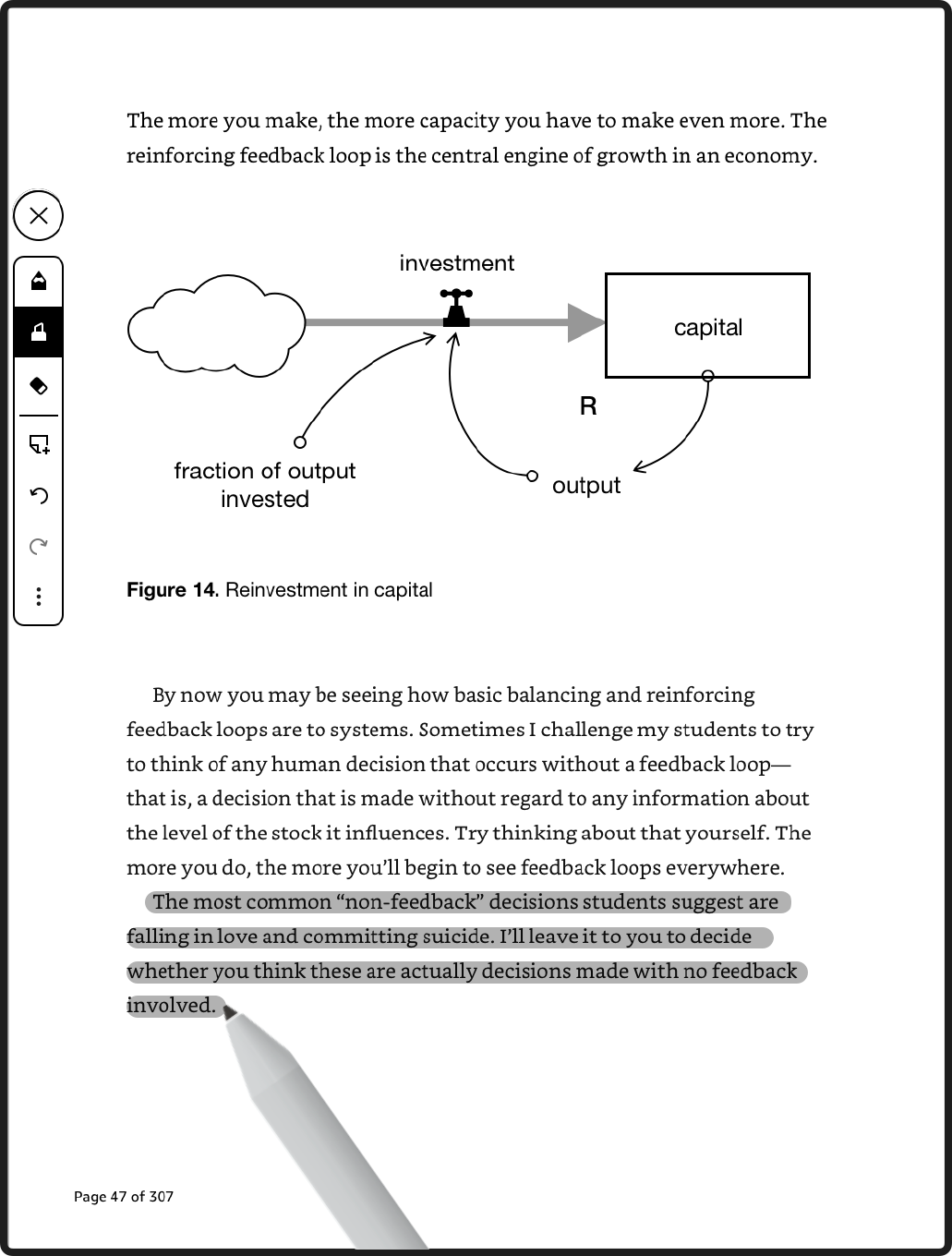
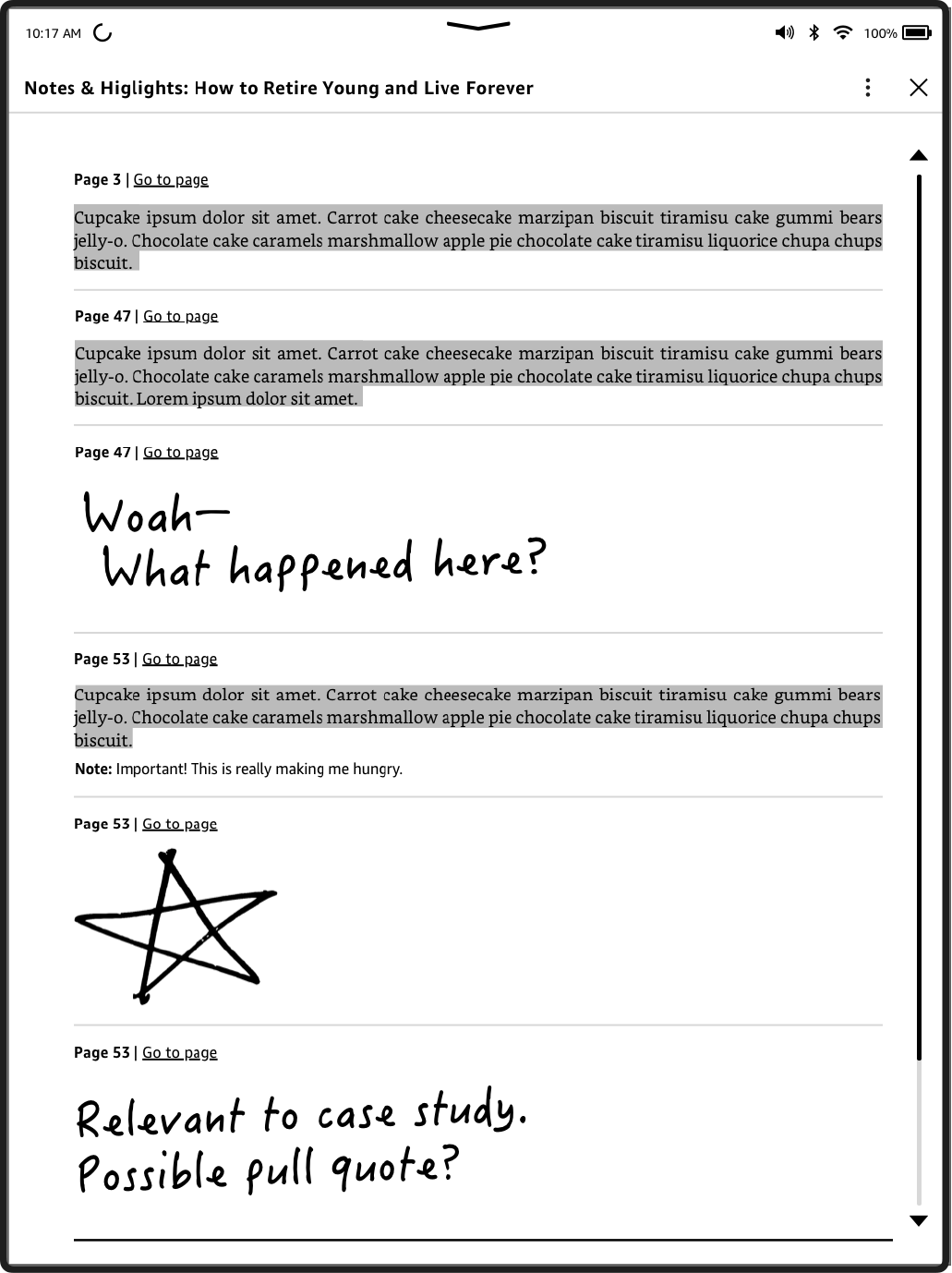
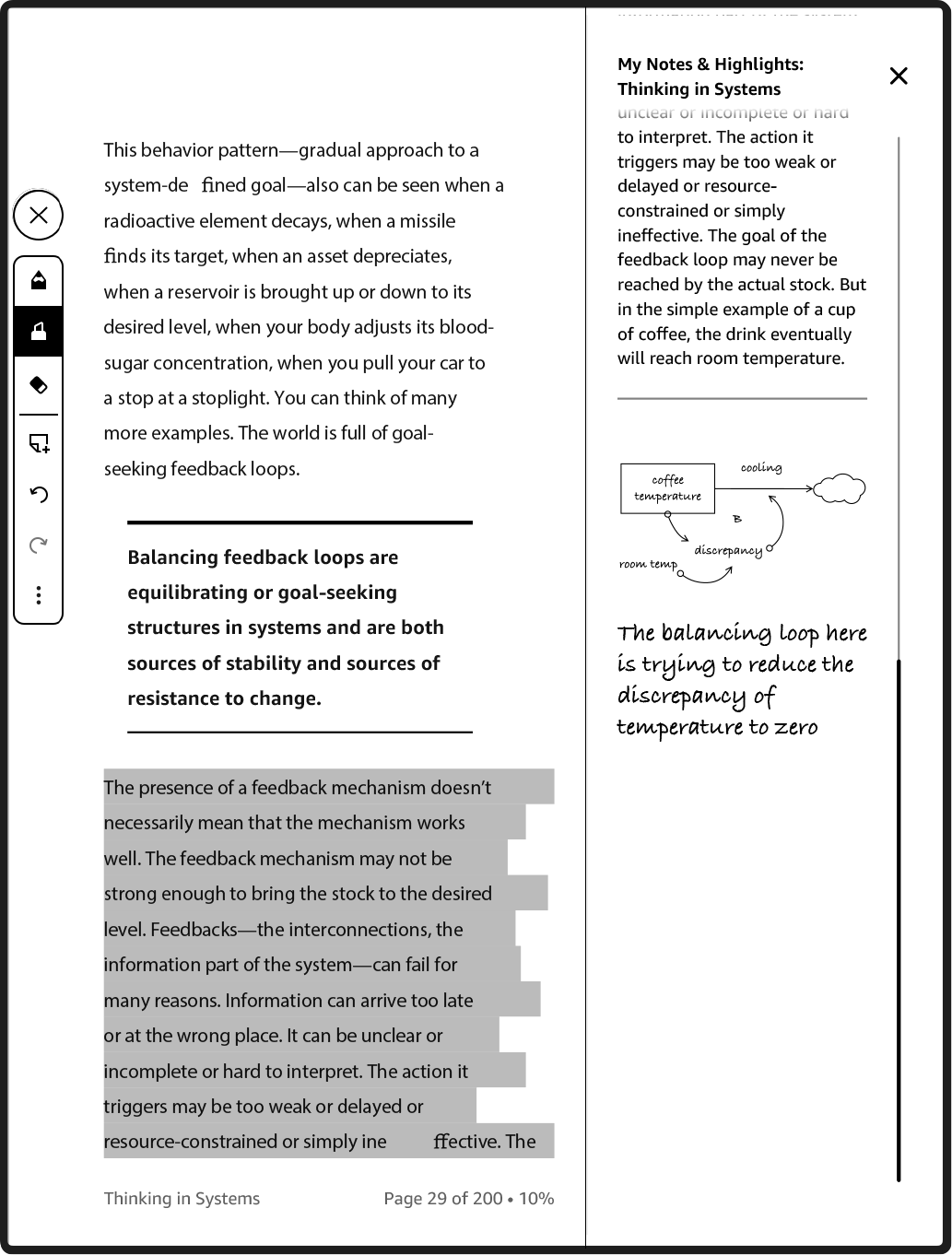
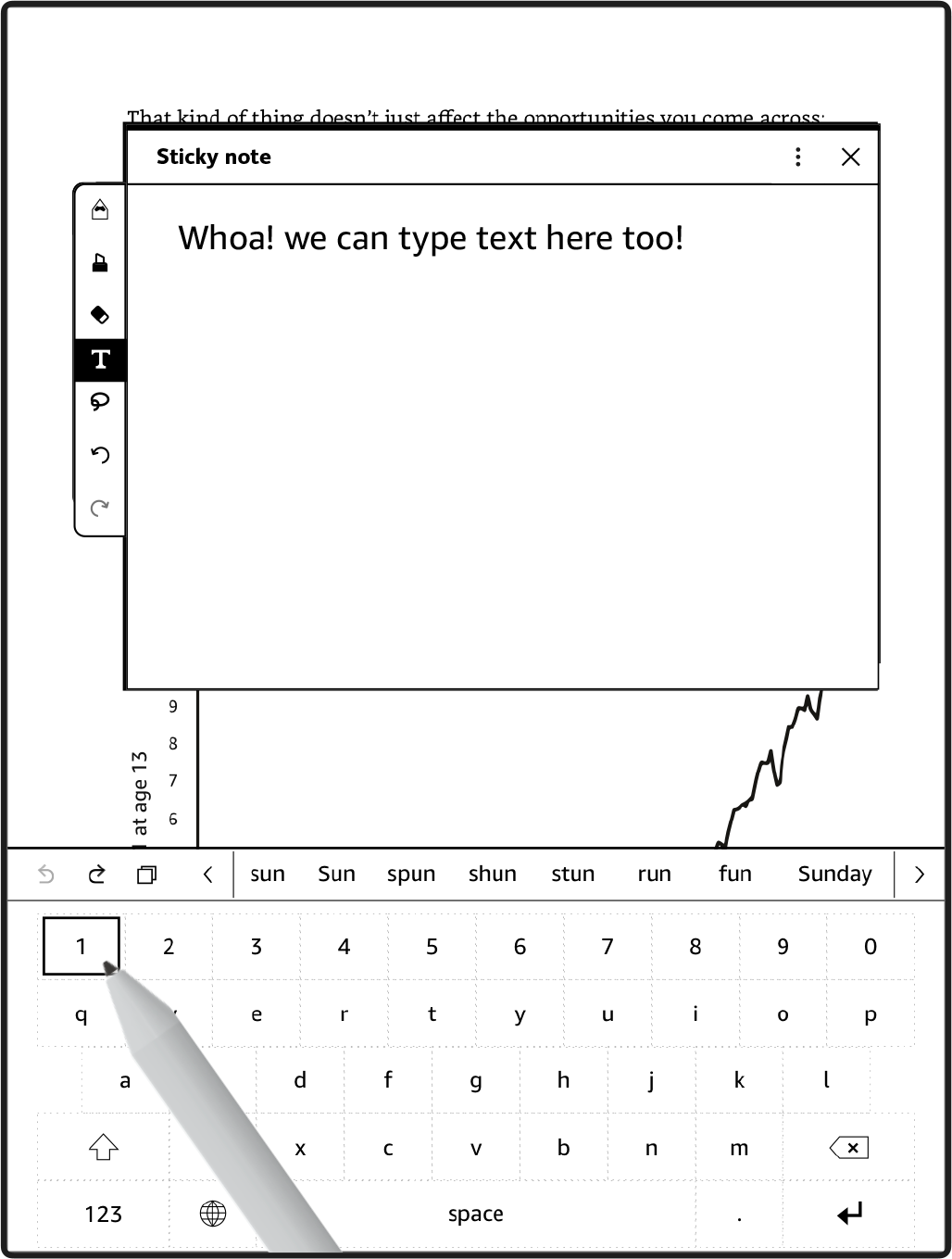
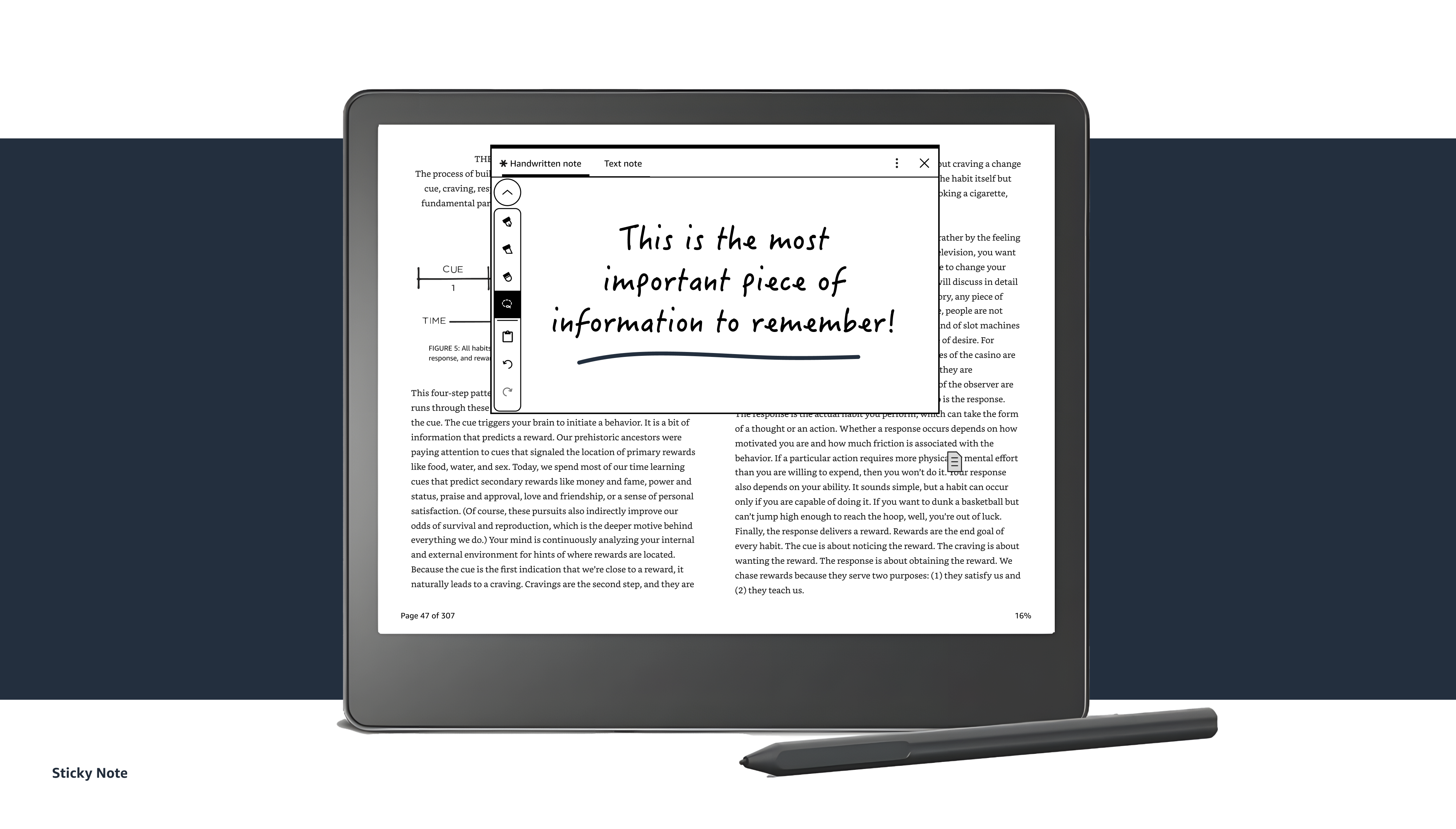
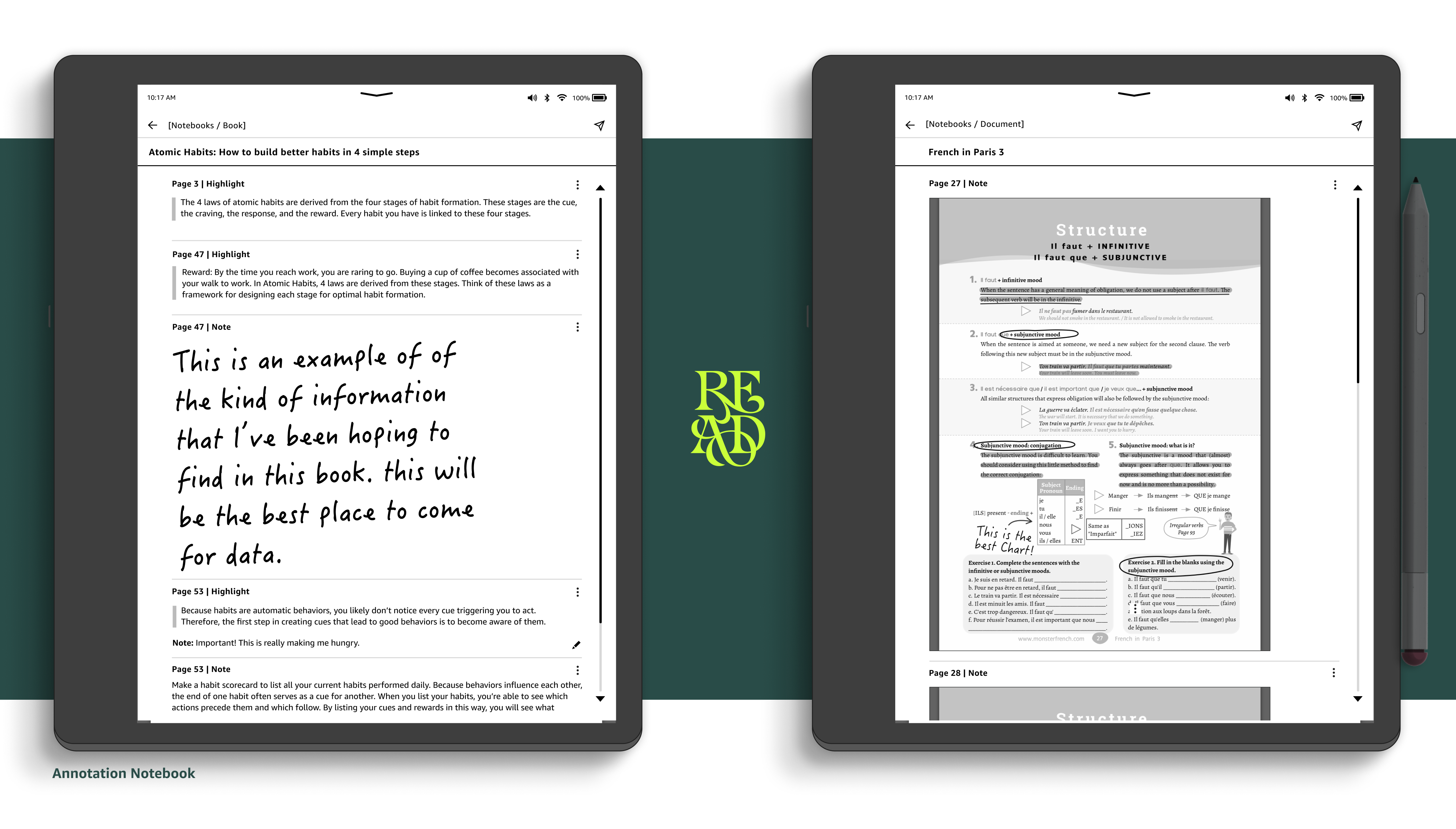
The stratagy was to enable freehand writing across any digital page. Paired with Kindle’s beloved reading experience, and provide a revolutionary step forward for reading and writing within the kindle platform. This would be the first-ever stylus-enabled Kindle E-reader. This experience includes the ability for customers to take notes in proprietary rendering formated content. And it would allow them to write directly on PDF content, create sticky notes in our native Reflowable content, view a consolidation of their notes for a book in an Annotations Notebook, write on personal documents and create annotations within books.

Understanding our Customers & the Opportunity
Working with a UX Researcher we conducted workshops reviewing insights and infromation collected about our readers to date. In the workshop, the team reviewed both qualitative and quantitative data from 11 research studies and over 4138 data points. The purpose of the in-book writing CX on the Kindle Scribe was to build on top of the Kindle reading experience and integrate stylus functionality seamlessly for a dual reading and writing experience. This new experience targets non-fiction readers, higher education students, and professionals whose behavior combines active reading and writing.
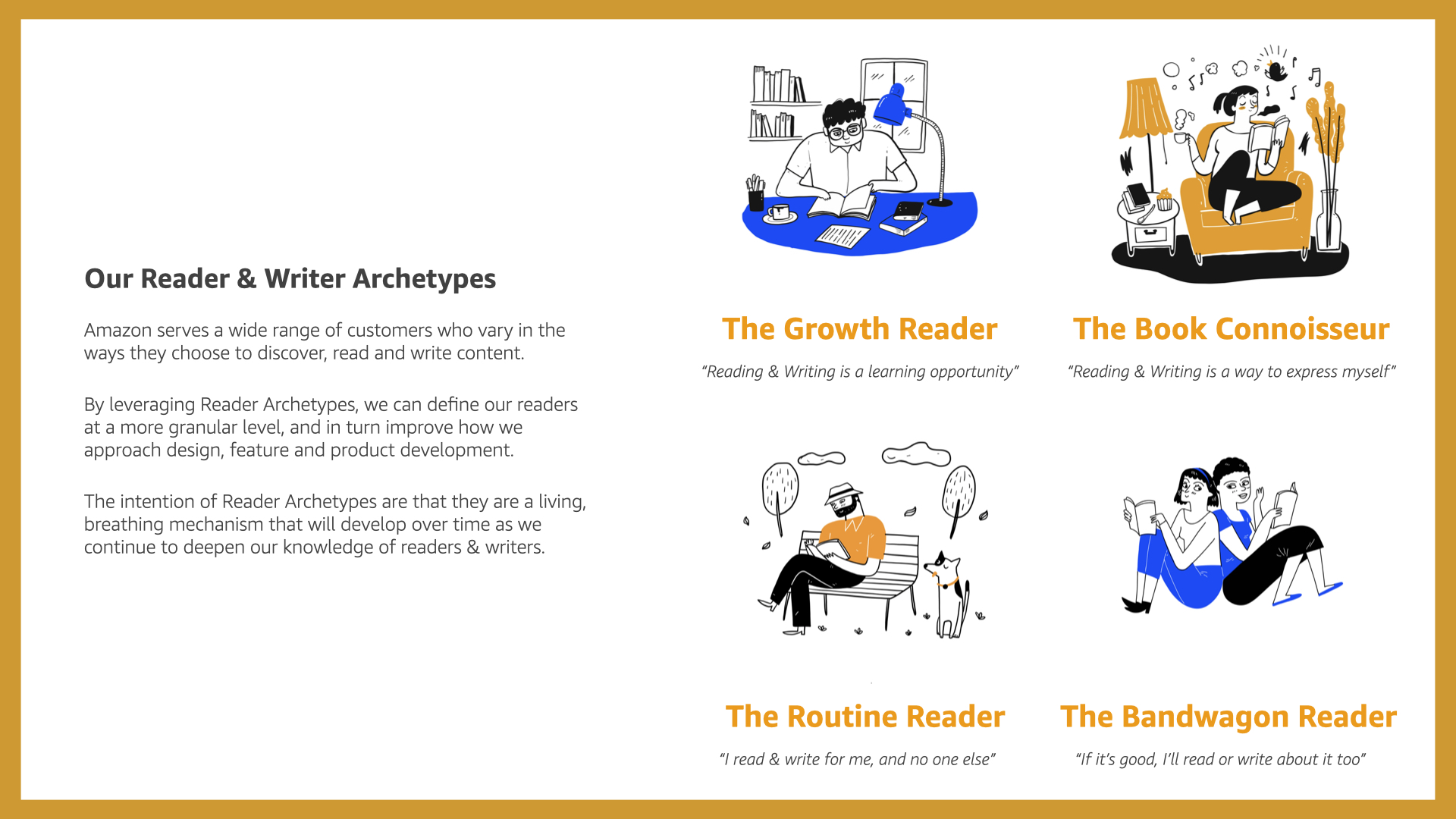
Working with the researcher I focused on identifying the segment readers based on their behaviors and motivations towards discovery, evaluation, purchasing, reading, writing and deepening their relationship with reading in general.
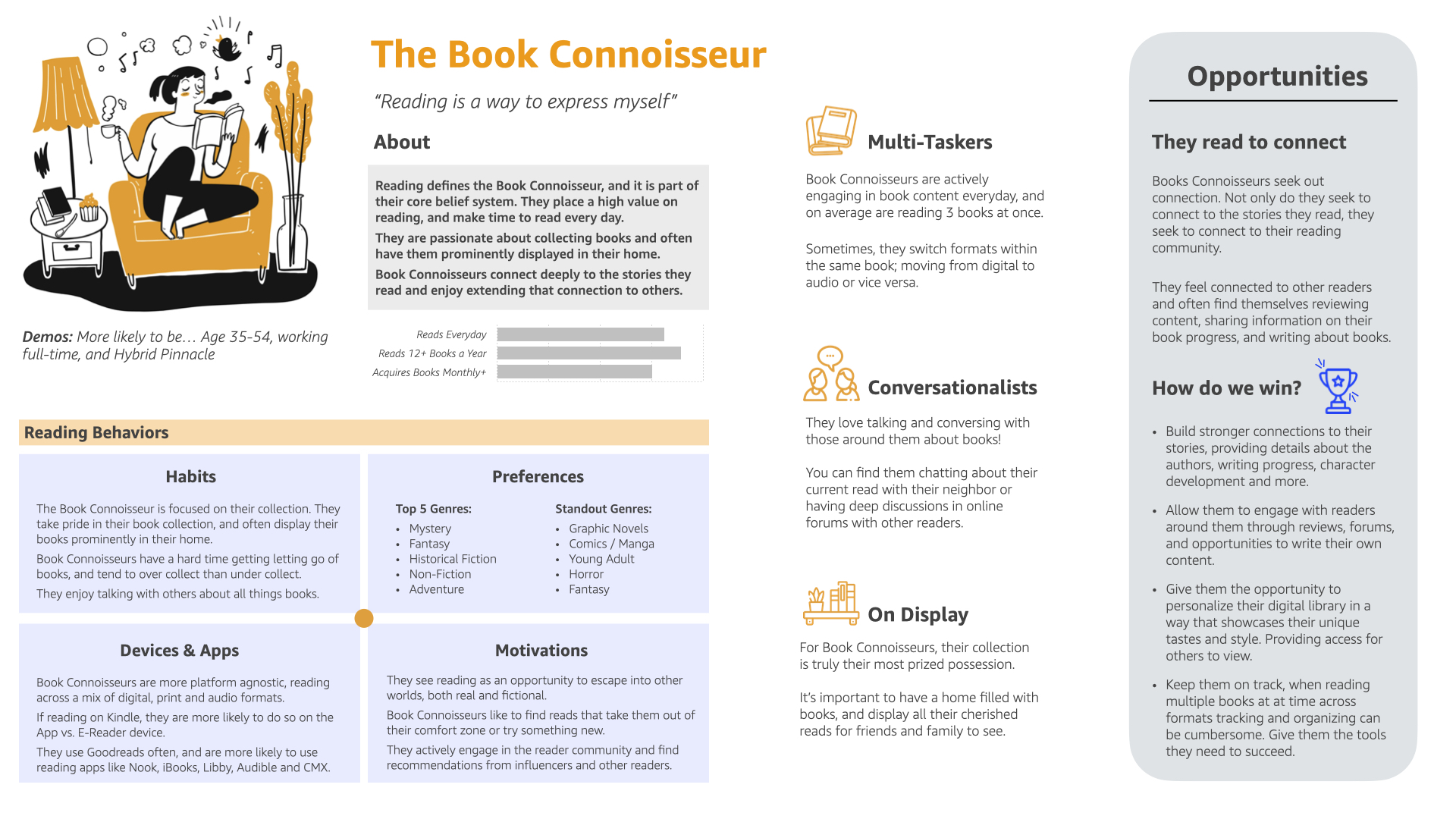
Following the creation of our customer Archetypes, we planned to test them at scale via a quantitative segmentation survey, however due to shifting priorities that work was not completed. But nontheless given the large sample and body of work that went into the Archetypes, there was high confidence that the archtypes were well representative of the most common readers & writers in the population.
A Customer centered approach
Now that we had a better understanding of the customers and their needs, I began by workig with stakeholders and collecting business requirements. With customers at the center of my work, we analyized the way they performed their actions to hypothesise around their motivations. This approach helped me maximize the learnings that came out of every design iteration.
Generating ideas
One of the fundamental perks of working in a large organization is its ability to generate innovative ideas using minds from all over the organization. Re-using the work we created during the first phase, we designed specific workshop frameworks to generate solutions that would optimize the customer journeys and inspire a longer term vision through, focusing on reading, writing, processing (markup/content related notes) and traditional note-taking (notes, journals etc) for customers.
Inspired by the Google design sprint, we spent time creating concepts, diverging and converging to build solutions focused on optimizing experiences for a specific Architypes. Allowing the scribe to unlock and expand its writing capabilities. New opportunities would be created providing our customers a best-in-class reading and writing experience.


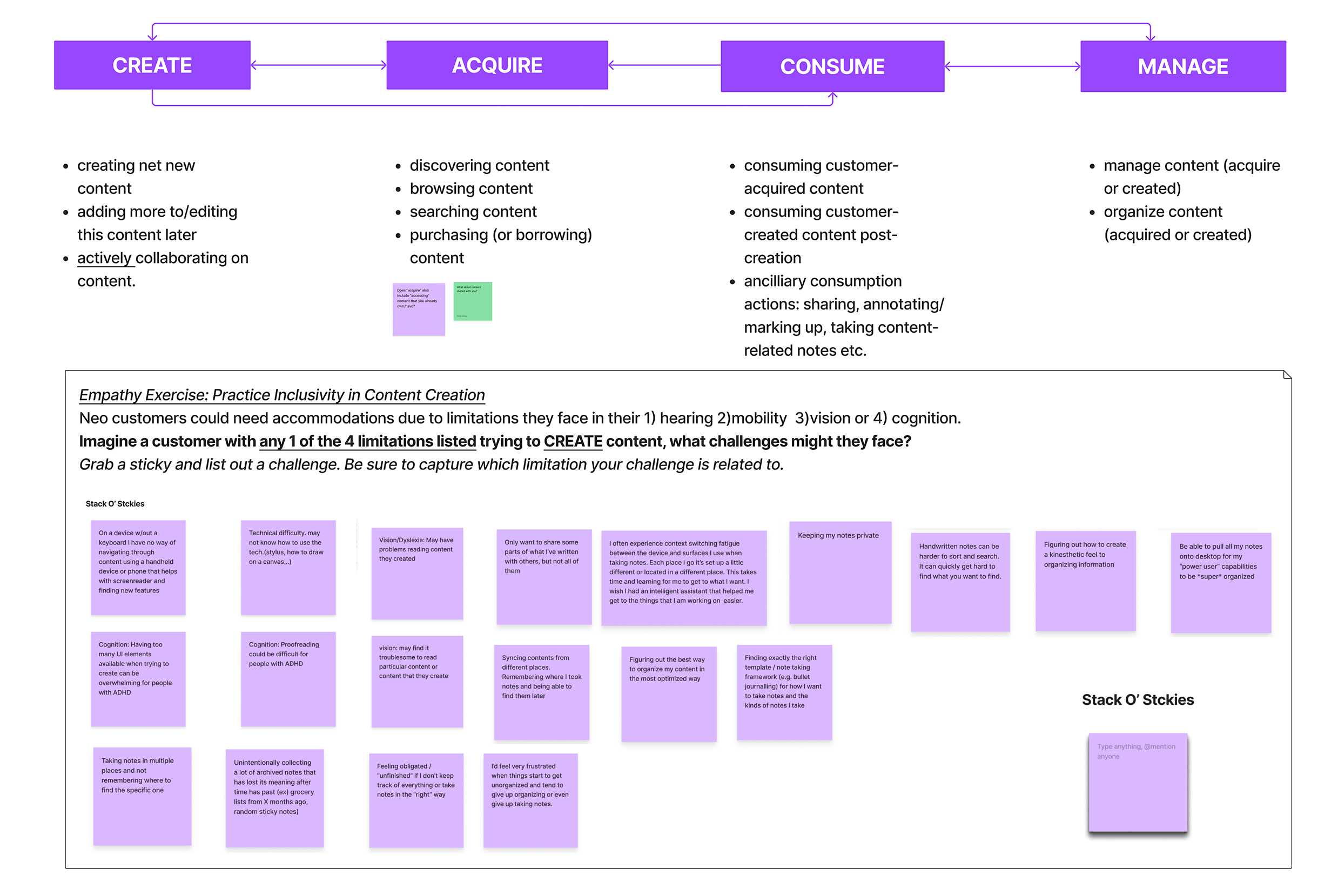
Ideating solutions
Defining the writing tool experience
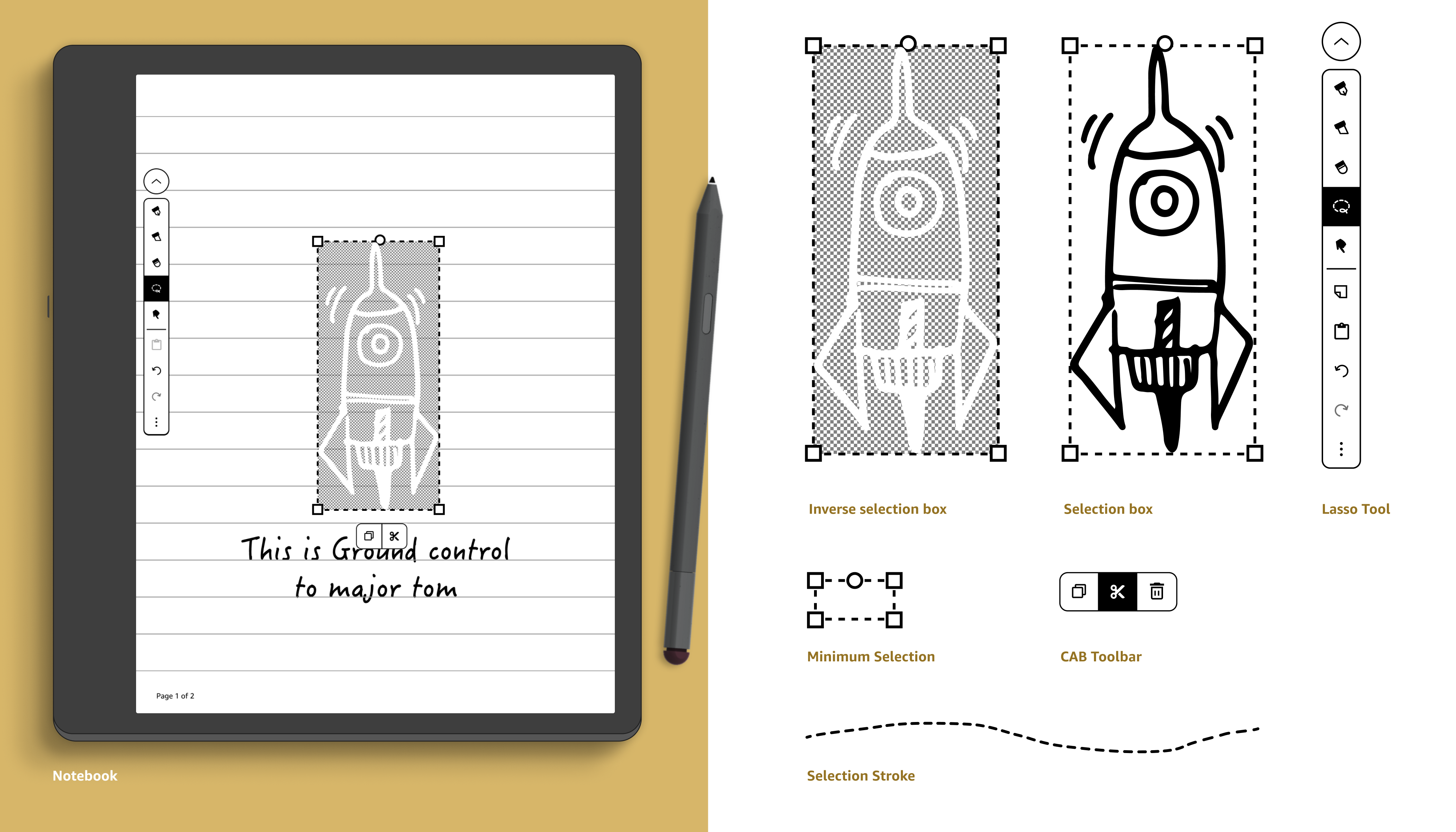
Now the fun begins, time to start ideating solutions for the customer experience. We had determined the most valuable tools that we needed to launch with (pen, highlighter, eraser, sticky note annotations) then I had to figure out how each tool would work and interact with writing in reflowable content and non-reflowable content.
Design Principles
I guided my work with these principles to deliver a smooth, expressive writing experience:
- Better than paper: The primary focus stays on the page, but it is backed by the power of technology to make it dramatically better than paper alone.
- New functionality should not break old habits: New features should enhance those workflows, not require customers to change.
- Minimize reading and annotating friction: We want the user to first and foremost achieve their primary goal of reading and writing notes, similar to how they would on print.
- Optimize for the long term. Design approaches today that would be lower
risk for future iterations as we learn from customer reactions and engagement.
I started to iterate on several different use cases working through customer journies for each case and coming up with a set of approaches. Below are a few samples of low-fidelity concepts:
In-book annotations: writing, highlighting & erasing

Annotations Notebook
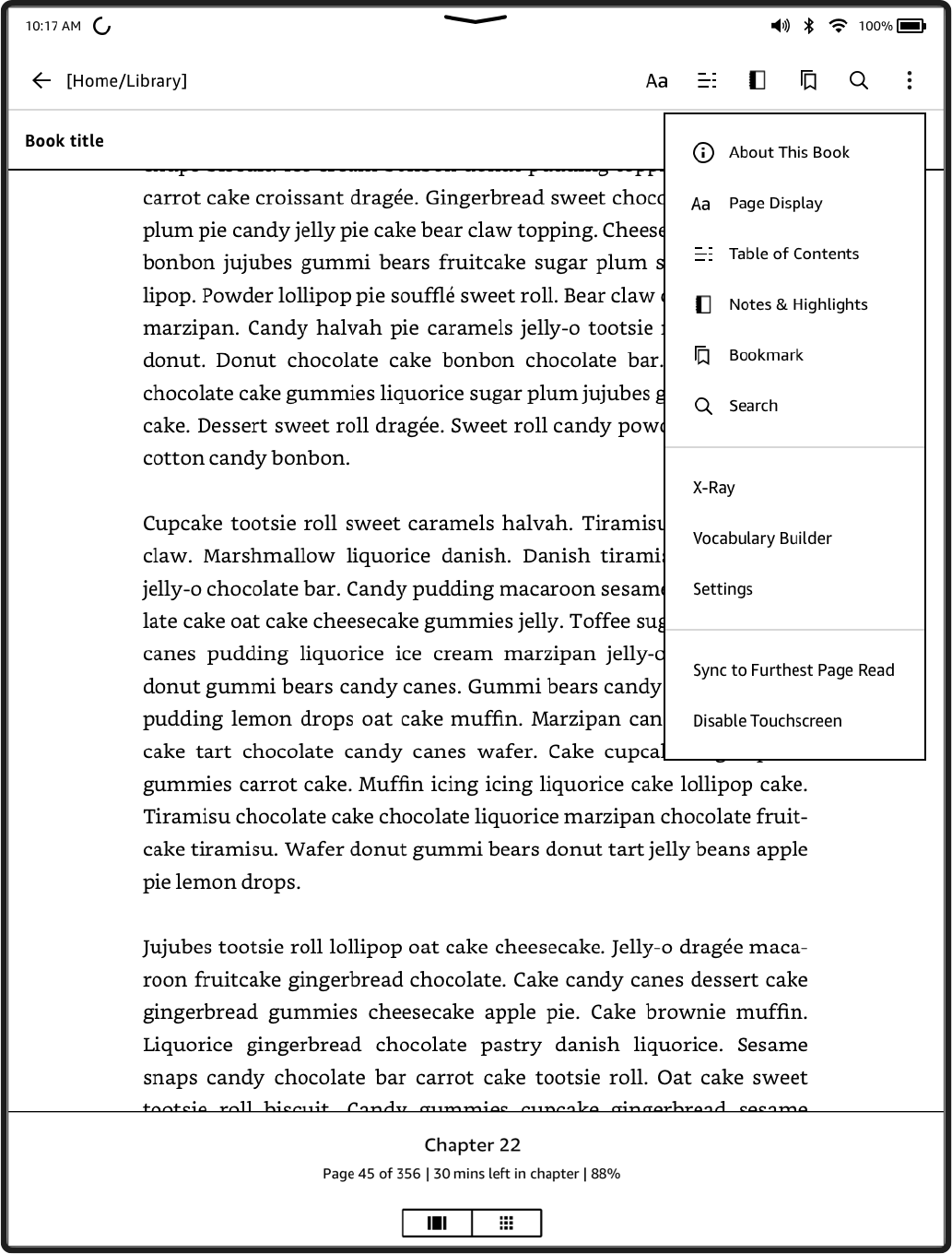
Annotations Reflowable: Sticky notes
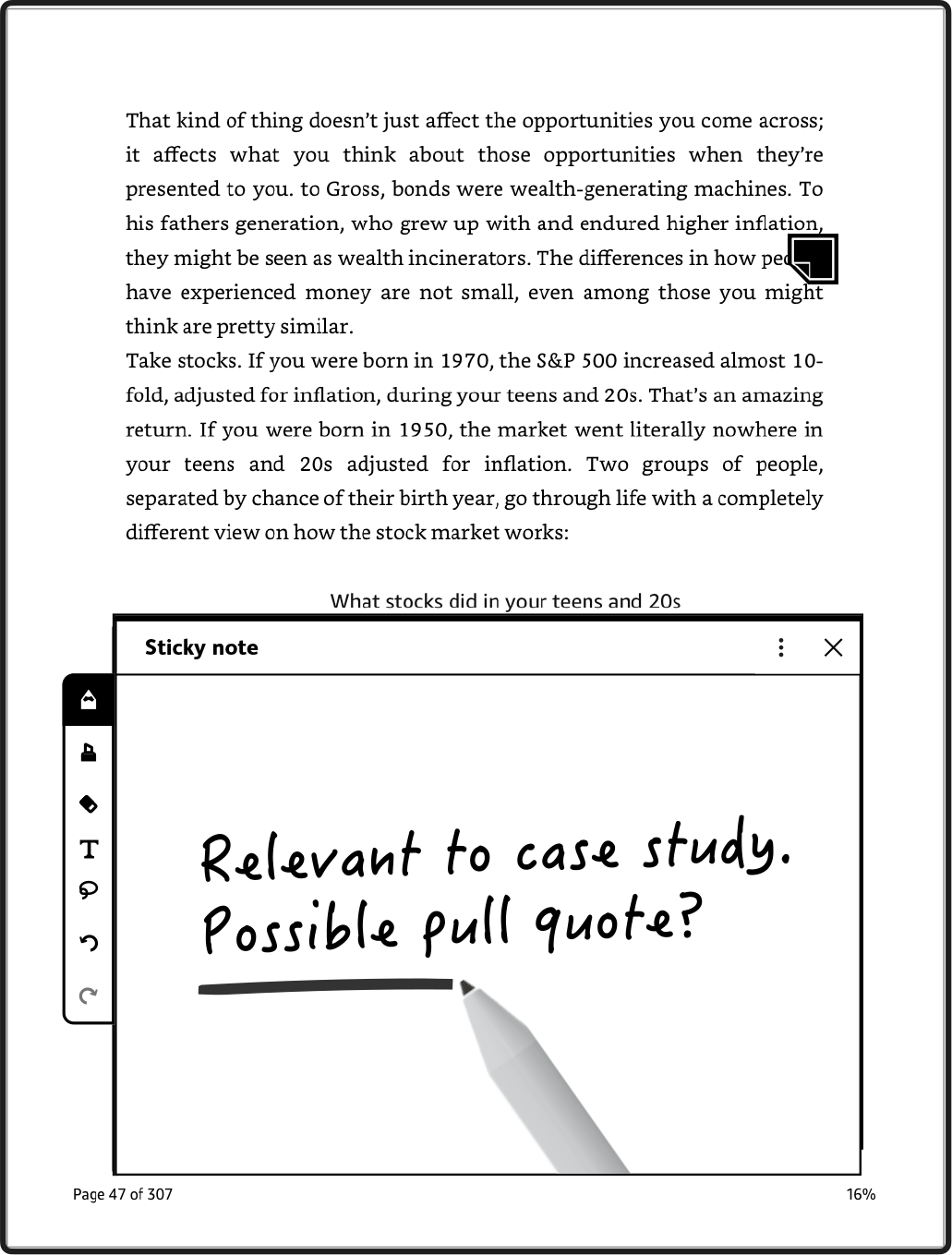

Design
We created a premium user experience by applying our newly created design system for Kindle. Providing a smooth journaling and drawing experience that resonated with customers.
Retrospective
We crossed the finish line. delivering one of the most anticipated reading and writing devices of its kind, despite tight timelines.
Testing & Iteration Gaps
I wish we had more time for testing the right set of features to launch. we had a lot of fast follows after the initial release of tools.
Vision Drift
Teams weren't always aligned, leading to fragmented executions of certain features.
Constraints drove clarity
We focused the release around the features with the highest customer value. Reducing scope and making some painful cuts.
Device-native prototyping
Testing on the actual hardware would have surfaced friction that a browser prototype can't replicate.